How it works
From "we need to be on 11.2" to a signed-off change
You give it a firewall and a target version. It does the rest in the open, one step at a time, and hands you the evidence at the end.
Before you start
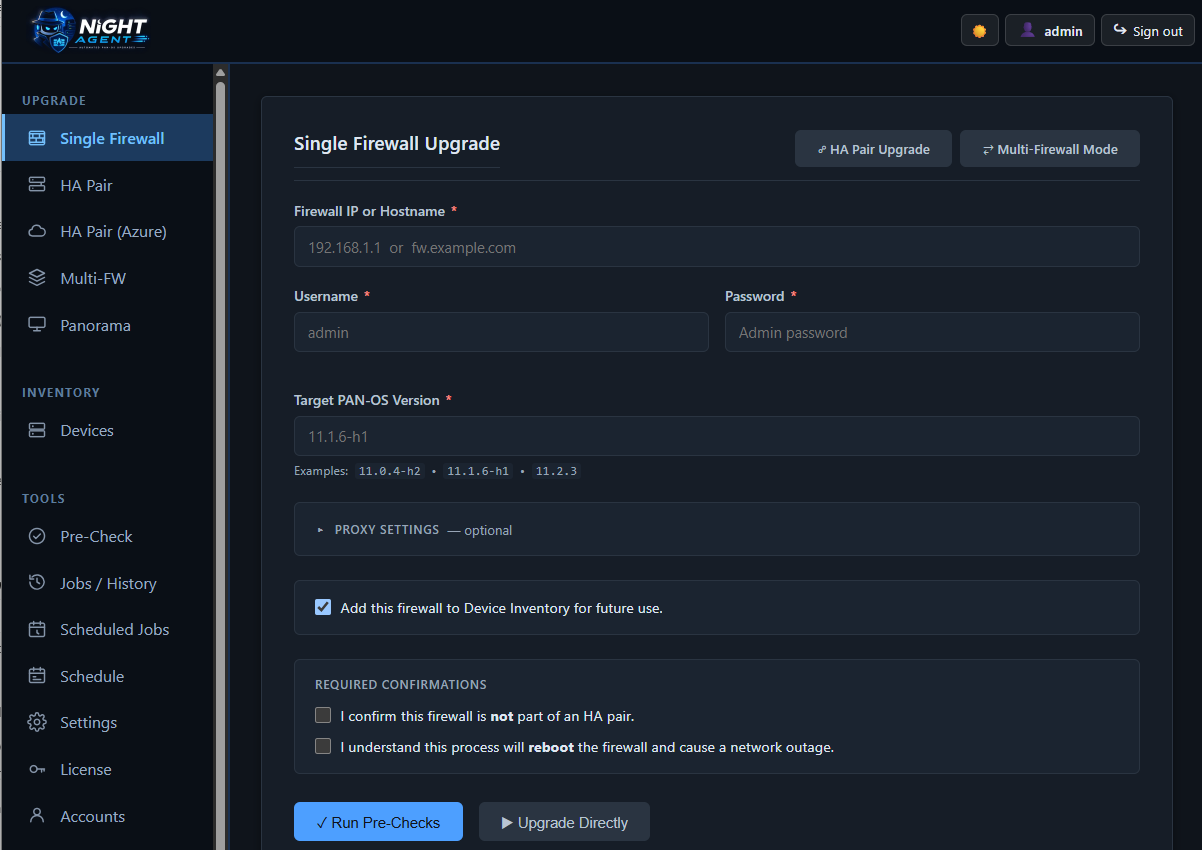
Three things to enter
The device
An IP or hostname — or pick a firewall you've already saved in the inventory, which fills in the address and its stored credentials.
Credentials
An admin account with XML API access. Saving them is optional; when you do, they're encrypted at rest and never written to a log.
A target version
The PAN-OS version you want to land on. The upgrade path is validated against it before anything is downloaded.
The sequence
What happens after you click go
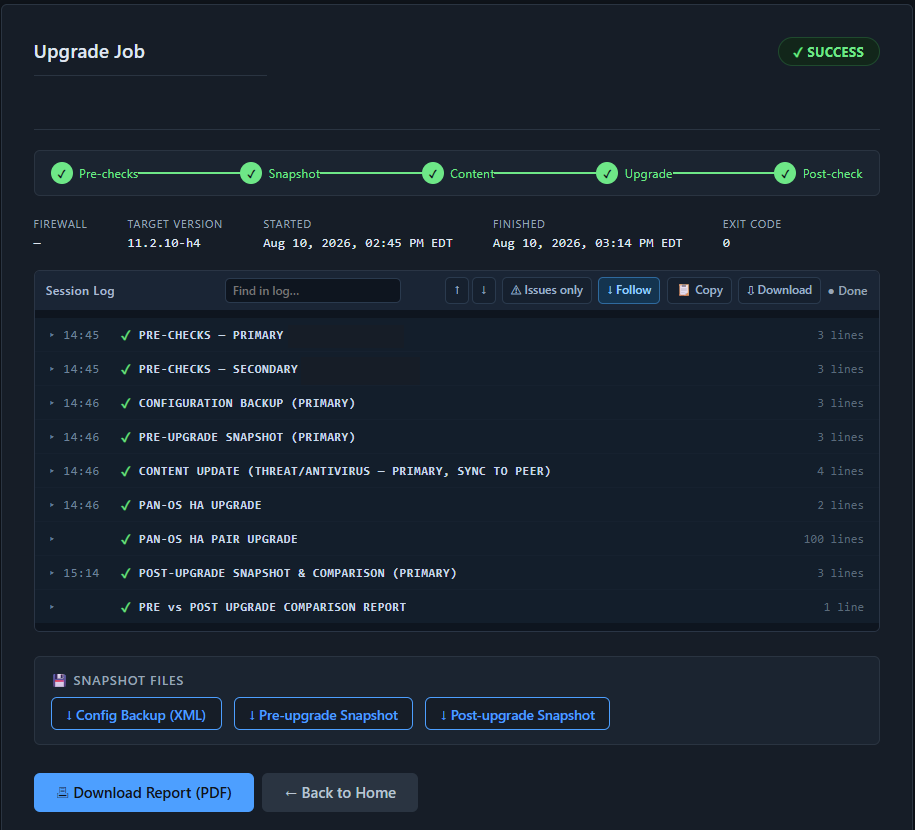
Each step has to succeed before the next one starts. If something fails, the run stops there — with everything captured up to that point still on disk.
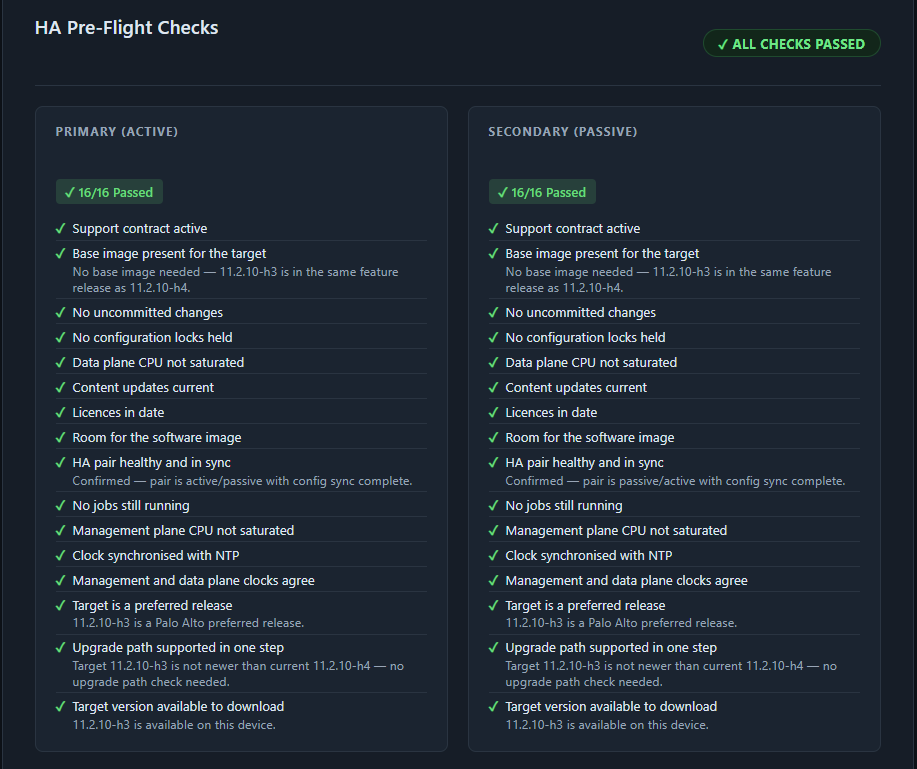
Pre-flight checks
Connects over the XML API and runs the check set for that device type. Anything that would make the upgrade fail — or make it unsafe — stops the run here, before a single change is made.
Config backup
Exports the running configuration and saves it with the run. If you ever need to go back, you have the exact config the device had before you started.
Pre-upgrade snapshot
Records operational state — routes, sessions, tunnels, licenses and content versions on a firewall; managed devices, collectors and disk on a Panorama. This is the baseline for the comparison.
Content update
Brings threat and antivirus signatures current before the software changes, so you're not stacking two variables in one maintenance window. Skipped for Panorama, where it doesn't apply.
Software upgrade
Downloads the image, installs it, and reboots — recovering automatically when PAN-OS drops the API session mid-install, which it does on long upgrades. For HA, this is where failover is orchestrated.
Post-upgrade snapshot and report
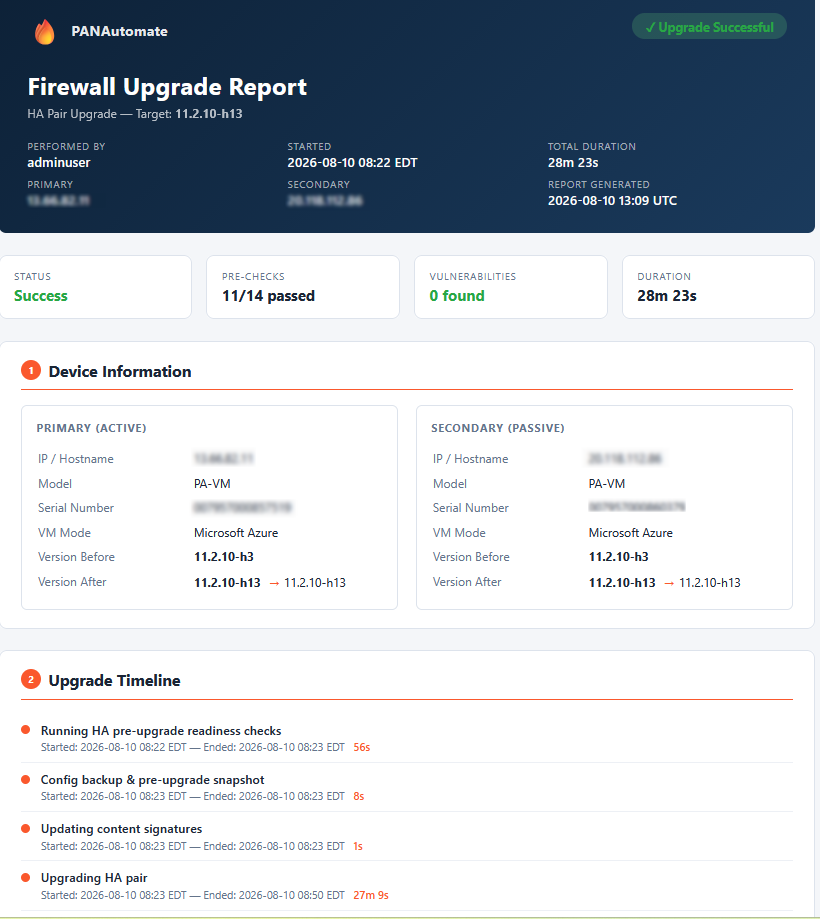
Waits for the device to come back, re-collects the same state, and compares it against the baseline. You end with a report showing what changed and what didn't.
HA pairs
How a pair is sequenced
The goal throughout is that one unit is always carrying traffic. The pair is never left with both units down or both trying to be active.
Preemption is disabled
So the primary doesn't try to take back the active role the moment it comes up mid-sequence. Its original setting is remembered and restored at the end.
The primary is suspended
Traffic fails over to the secondary. Night Agent confirms the secondary has actually taken over before continuing — it doesn't assume the failover worked.
The primary is upgraded and rejoins
Install, reboot, and then wait — not just for the device to answer, but for it to come back as passive and re-synchronise with its peer. Only then is the pair considered healthy again.
The secondary follows
The same sequence in reverse, after any wait period you configured. If the primary never rejoined cleanly, the secondary is never touched.
Preemption is restored
Returned to whatever it was before the run — and only if it was enabled in the first place.
While it runs
You are not staring at a spinner
Live output
The device's own responses stream into the page as they happen, including install progress percentages.
Phase by phase
A stepper shows exactly which stage is running, which are done, and which are still ahead.
Email when it matters
On start, on completion, and when the run is paused waiting for you to decide something. Close the tab if you want.
Afterwards
What you're left holding
A comparison report
Operational state before and after, side by side, with differences called out. On a firewall that's routes, sessions, tunnels, licenses and content versions. On Panorama it's managed devices, their connection state and versions, and log collectors.
The artefacts
The running config as it was before you started, both snapshots as JSON, the pre-flight check results, and the complete log — all kept per run and downloadable later.
See Night Agent on your own firewalls
Enter your email and we'll send you a license key and a download link straight away. No sales call, no card.
14-day trial · No card required